Hold a key and speak: your words land at the cursor in any app. Diktator also records your calls, transcribes them, and files the notes as Markdown. All of it runs on your Mac.
Free to use. Every download starts a 14 day Pro trial, no card.
macOS 14 or later, Apple Silicon.
Pick fn, ctrl+space, or ctrl+`. Prefer hands free? fn+space latches it on.
Parakeet v3 runs on your Mac through CoreML and finishes a sentence in well under a second. 25 languages, Polish included.
Release the key and the words appear where you were typing. cmd+shift+v pastes the last one again.
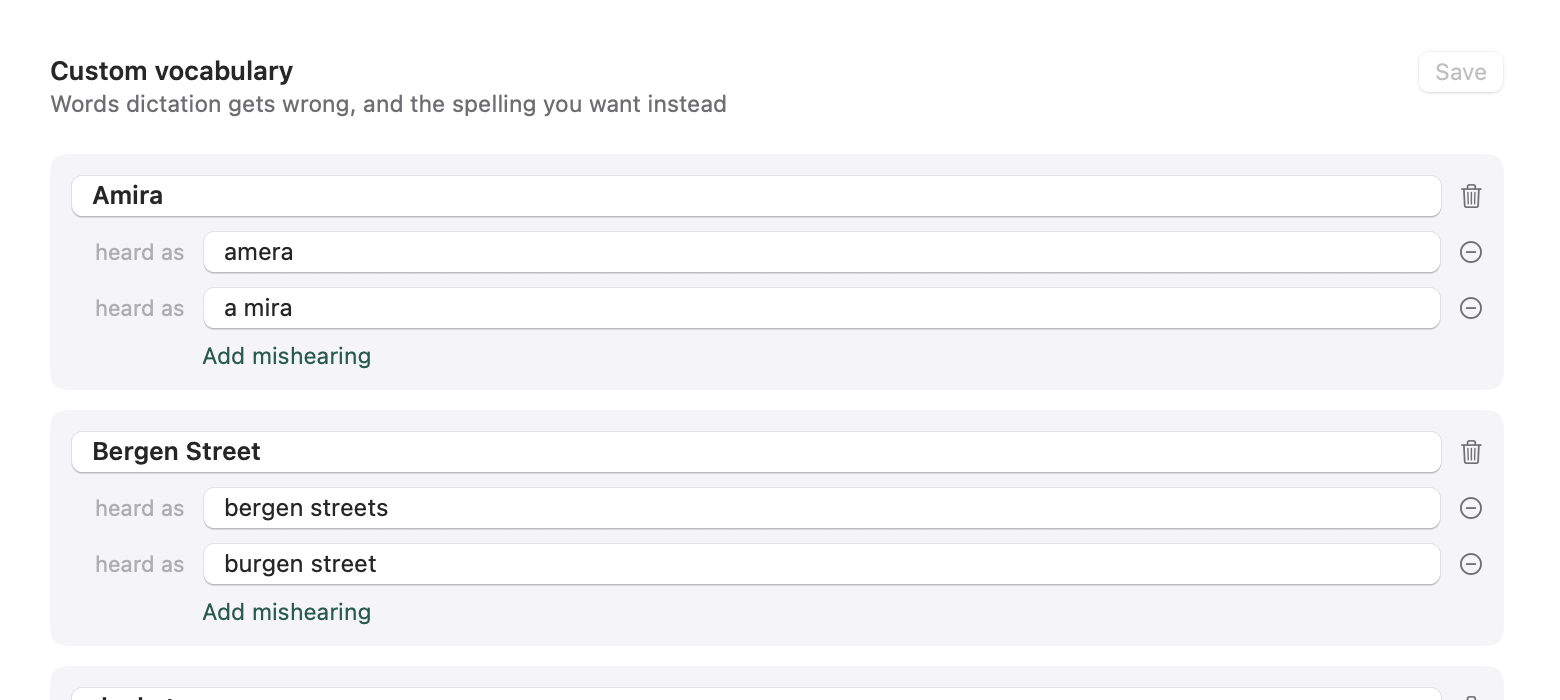
Optional local cleanup adds punctuation and drops filler words. It never rephrases you. Custom vocabulary and persona context are yours to edit in the app.
Diktator notices when an app takes the microphone and handles the rest.
Automatic capture is Pro (your trial includes it); recording a call manually is free, one click in the menu bar.
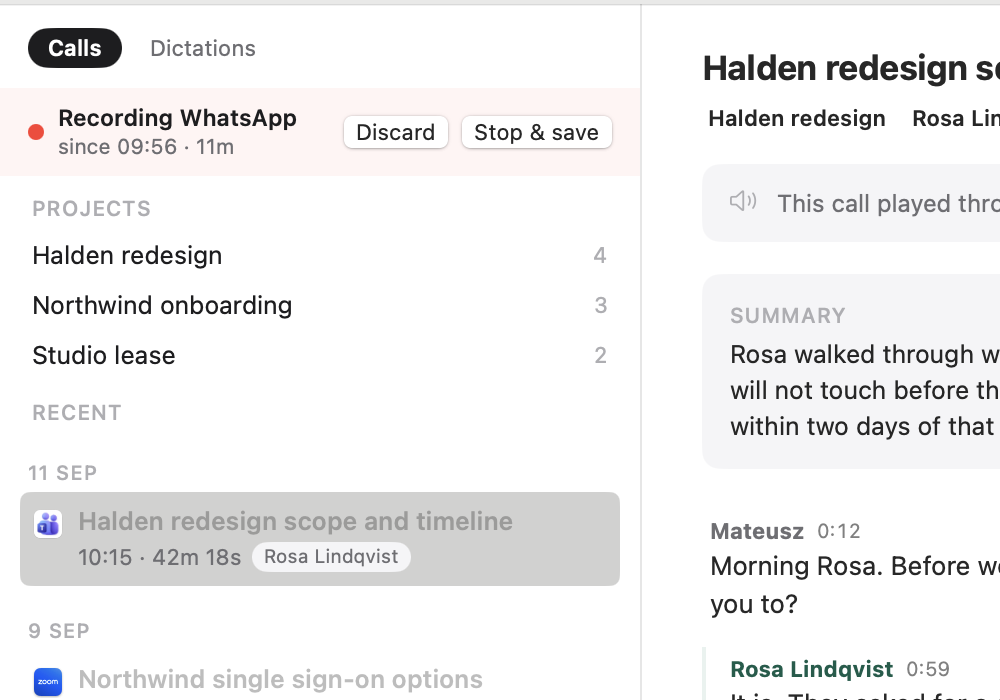
Zoom, Meet, Teams, WhatsApp: when an app opens the mic, recording begins. A red dot in the menu bar tells you it is running.
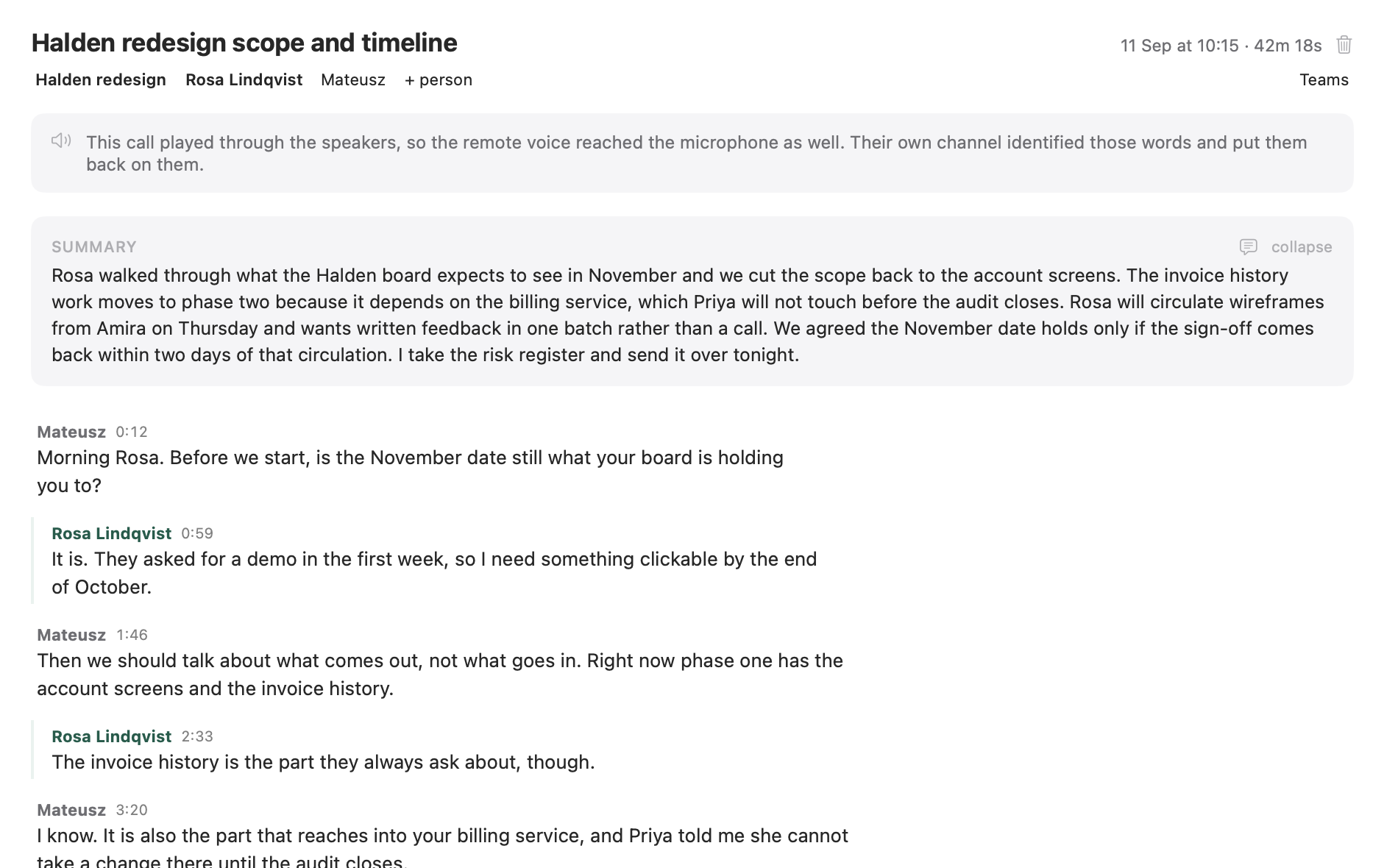
You on the left channel, the other side on the right. WhisperKit large-v3 turbo transcribes on your Mac and diarization splits the turns.
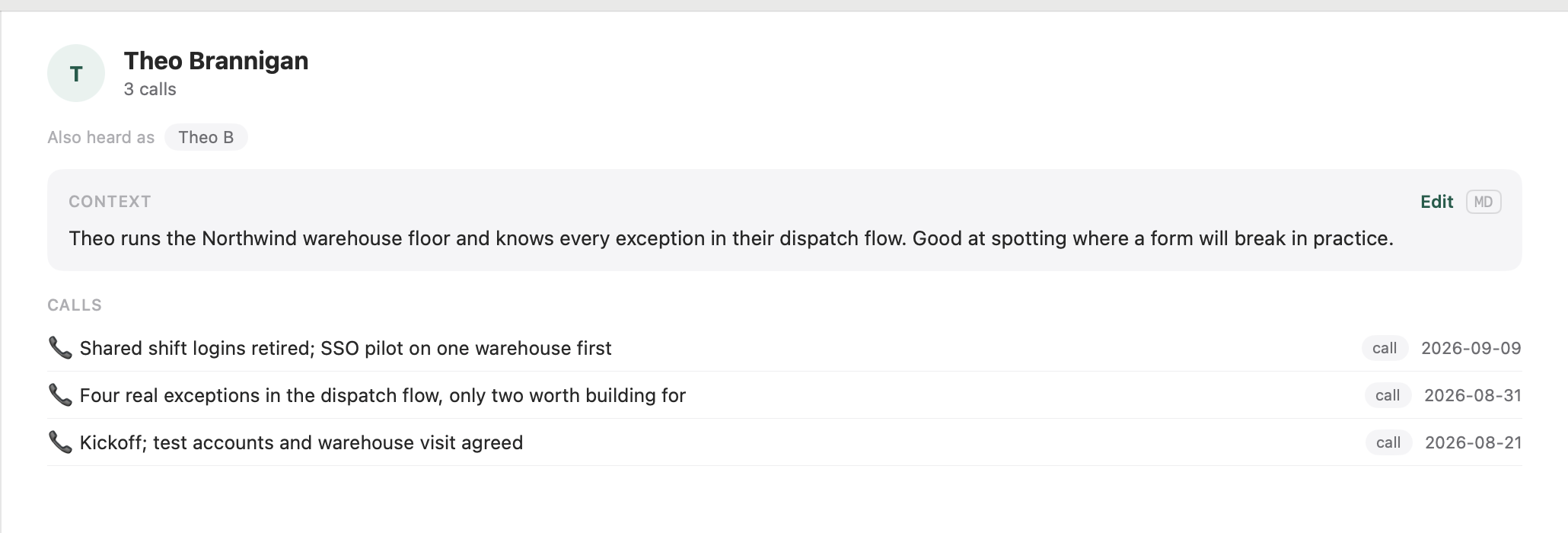
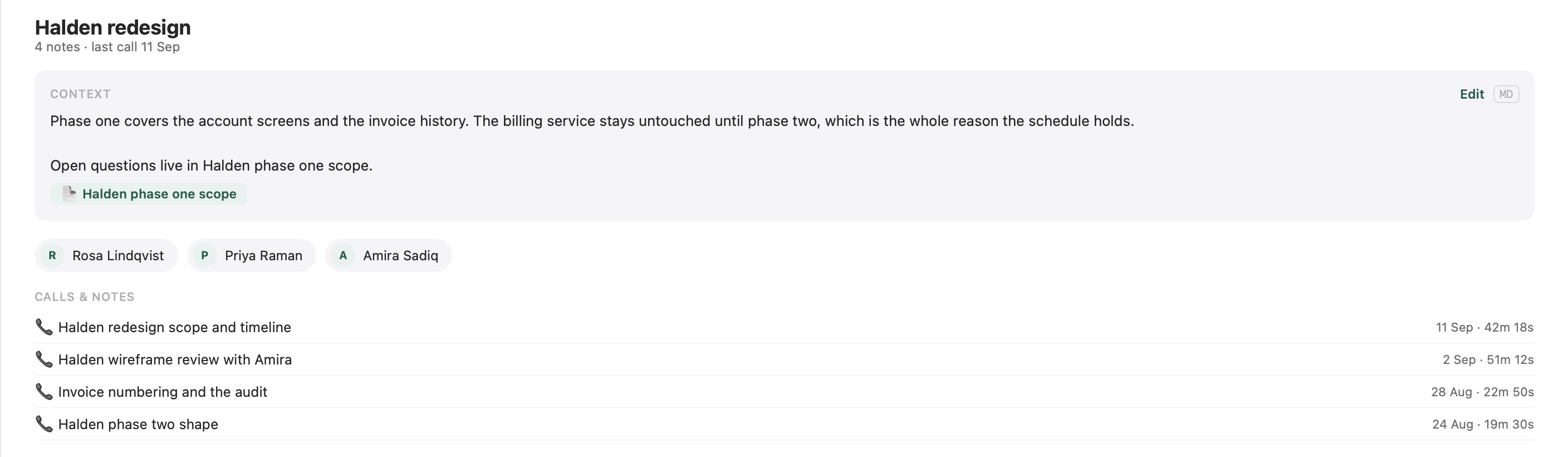
Local AI titles the call and writes the summary. Anything under 20 seconds is thrown away.
Plain Markdown in one folder you choose. Open it in Obsidian or any editor you like.
Delete the app tomorrow and you still have a readable archive.
No server ever hears your voice. Audio and transcripts never leave your Mac, on any tier. No cloud transcription, no account, no telemetry. Airplane mode, VPN, bunker: it all works the same.
Feature by feature against the major Mac dictation apps.
Call recording and the Markdown folder are Diktator only, so they are not in this table.
| Feature | Diktator | WisprFlow | SuperWhisper | BetterDictation | macOS Built-in |
|---|---|---|---|---|---|
| Price | Free, Pro from $9/mo | $8-10/mo | $10-15/mo | $39 + $2/mo | Free |
| Annual cost | $0, or $79/yr for Pro | $96-120/yr | $120-180/yr | $63/yr | $0 |
| Transcription | Local (Parakeet, WhisperKit) | Cloud | Local + Cloud | Cloud (Whisper API) | On-device, some languages |
| AI text cleanup | Local (Ollama) | Cloud | Local or cloud | Cloud (OpenAI) | None |
| 100% offline capable | ✓ | ✕ | With local models | ✕ | Some languages |
| Voice data stays local | ✓ | ✕ | Partial | ✕ | ✕ |
| No account required | ✓ | ✕ | ✕ | ✕ | ✓ |
| Push-to-talk | ✓ | ✓ | ✓ | ✓ | ✕ |
| Hands-free mode | ✓ | ✓ | ✓ | ✕ | ✓ |
| Recording history | ✓ | ✓ | ✓ | ✕ | ✕ |
| Apple Silicon optimized | ✓ | ✕ | ✓ | ✕ | ✓ |
Every download starts a 14 day full Pro trial. No card.
Forever, not a teaser
or $79 per year
Lifetime Pro
Every download starts with 14 days of full Pro, no card. When the trial ends you keep dictation, manual recording, and your entire archive; automatic capture waits for a license. Purchases are not live yet. The free tier and the trial are.
The DMG is notarized by Apple, so there is no Gatekeeper detour.
Download, drag, launch.
Requirements: macOS 14 or later, Apple Silicon. Updates arrive in the app itself, so this is the last download you need.
The core is free forever: dictation into any app, manual call recording, local transcription with speaker separation, local AI cleanup, and your Markdown folder. Every download also starts a 14 day full Pro trial, no card required, so you feel the whole product before deciding.
Automatic call recording is the headline: Diktator notices a call starting and captures it without you touching anything. Pro also adds AI summaries and naming fed by your project context, optional cloud AI notes with your own API key, and history. Purchases are not live yet, so the buttons say "Coming soon" until they are.
Two layers. Speech to text is built in: NVIDIA's parakeet v3 (the default: fast, 25 European languages including Polish) and Whisper large-v3 turbo (the accuracy pick, used for call transcripts), both downloaded automatically by the app and run on your Mac's Neural Engine. The text layer (cleanup of your dictations, call summaries, note naming) runs through Ollama with a local qwen model. Nothing in either layer touches a server.
No, never, in any tier. Recording, transcription, diarization, and summarization all run locally. The only thing that can ever touch a server is text, and only if you turn on Pro's cloud AI notes with your own API key; leave that off and nothing leaves at all.
25 European languages including Polish and English, with automatic language detection: dictate in Polish mid-sentence after English and it follows. Call transcription uses Whisper large-v3 turbo, which covers even more.
Yes. Once the app is installed, dictation and call transcription need no connection at all.
No. Dictation, recording, and transcription work fully without it: the speech models are built into the app. Ollama is a free, one-download local AI runtime that unlocks the text extras: punctuation and filler cleanup on dictations, call summaries, smart note names. Install it from ollama.com, open it once, and Diktator finds it; the app pulls the qwen model it needs on first use. Skip it and your dictations simply paste as transcribed.
macOS 14 or later on an Apple Silicon Mac. Diktator runs as a menu bar app and a regular Dock app.
Built in. The app checks its own update feed and installs new versions itself, so you download the DMG once.
They are plain Markdown files in a folder you chose, so yes. Obsidian, any text editor, grep, git, whatever you already use. Delete Diktator and the archive stays readable.
Free to download. Fourteen days of Pro come with it.
macOS 14 or later · Apple Silicon · Notarized DMG, updates itself